 For Streamers Who'd Rather Stream
PostBuddy watches your live stream, captures the hype moments, edits them with your branding, and auto-posts to every platform that matters — so your highlights go everywhere while you stay focused on the stream.
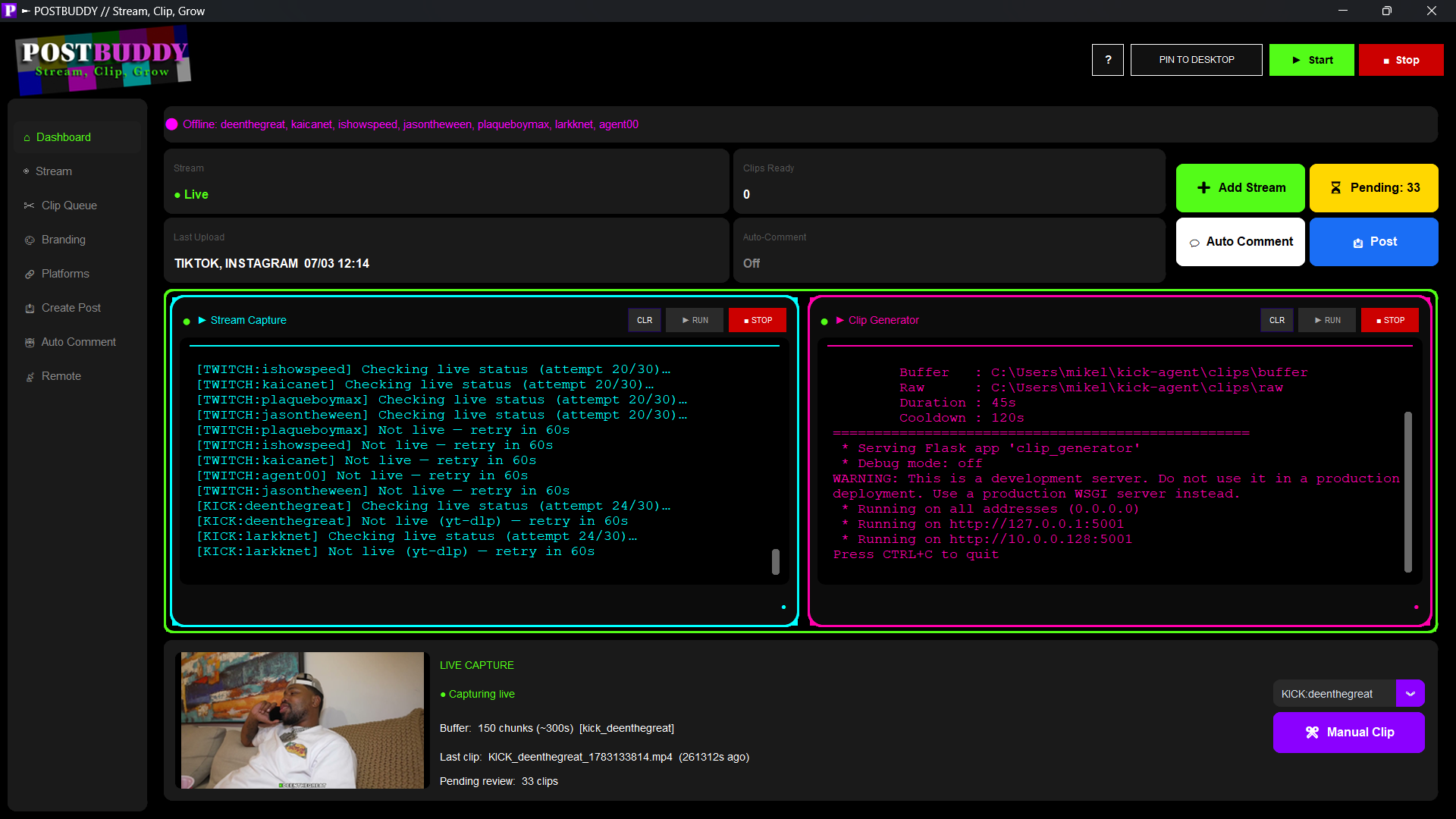
From the moment chat pops off to the moment it's live on five platforms — no manual exporting, no manual posting, no missed moments.
Detects hype moments from chat activity and volume spikes, then captures and trims the clip automatically — no manual scrubbing through VODs.
One clip, five destinations. PostBuddy posts to TikTok, Instagram, Facebook, X, and YouTube automatically, formatted for each platform.
Auto-overlay your logo, captions, intro text, and color grading on every clip — every post looks consistently on-brand.
An engine that finds and comments on relevant posts using your hashtags, on a human-like schedule, to grow your reach passively.
Start/stop streaming, review the clip queue, preview clips, and run Auto-Comment — all from your phone, from anywhere.
Runs locally on your machine — your stream keys and account cookies never leave your computer.
Link TikTok, Instagram, Facebook, X and YouTube once from the Platforms tab.
Start your stream on Kick, Twitch, or YouTube — PostBuddy watches in the background.
Hype moments are clipped, branded, and queued for review (or posted automatically).
Approved clips are posted to every connected platform — and Auto-Comment keeps working for you.
The same clip, moving through the actual PostBuddy workflow — approve it, schedule it, and watch it land on the calendar.
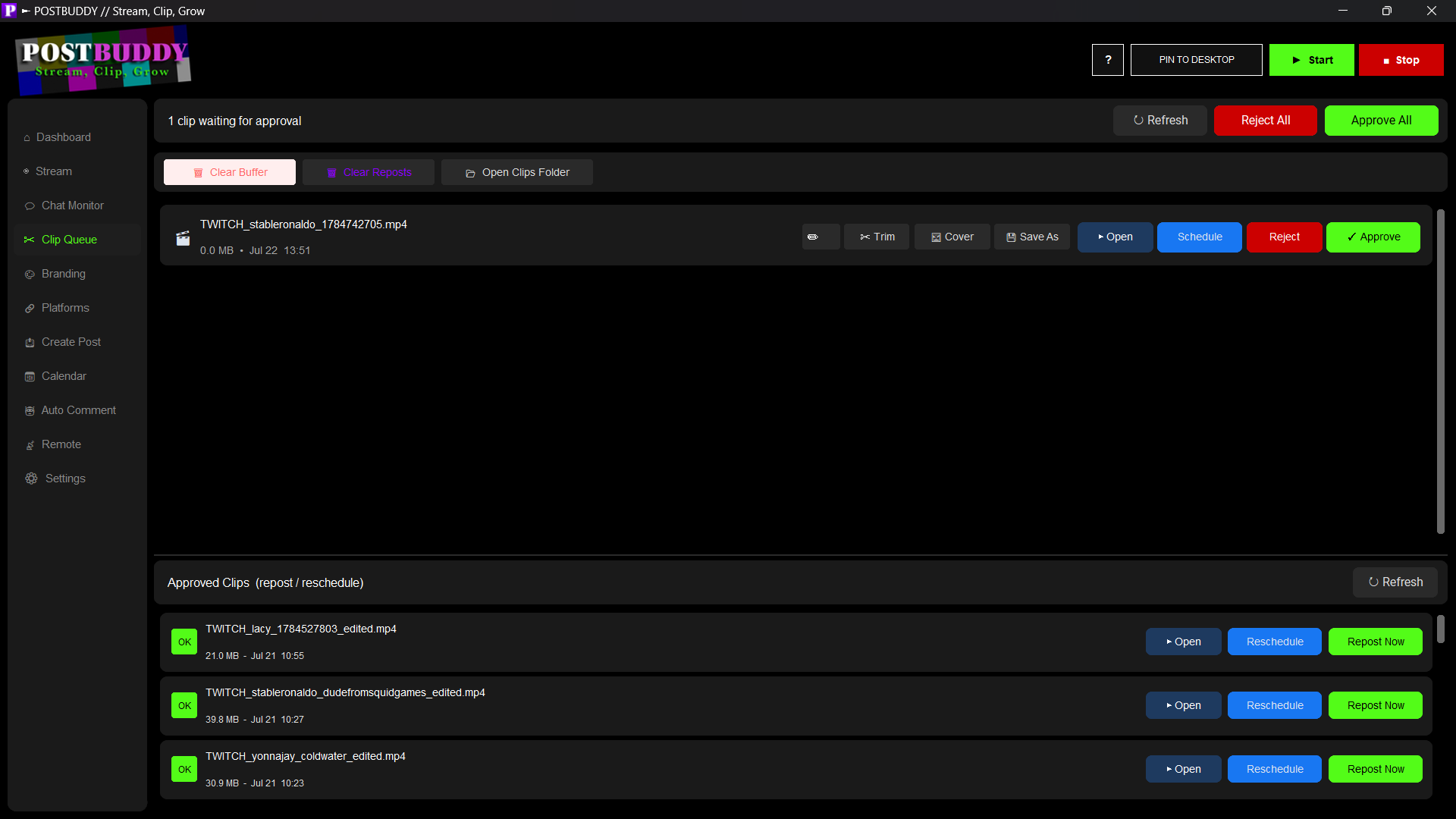
Every captured clip lands here for a quick look — trim it, set a cover, and approve or reject in one click.
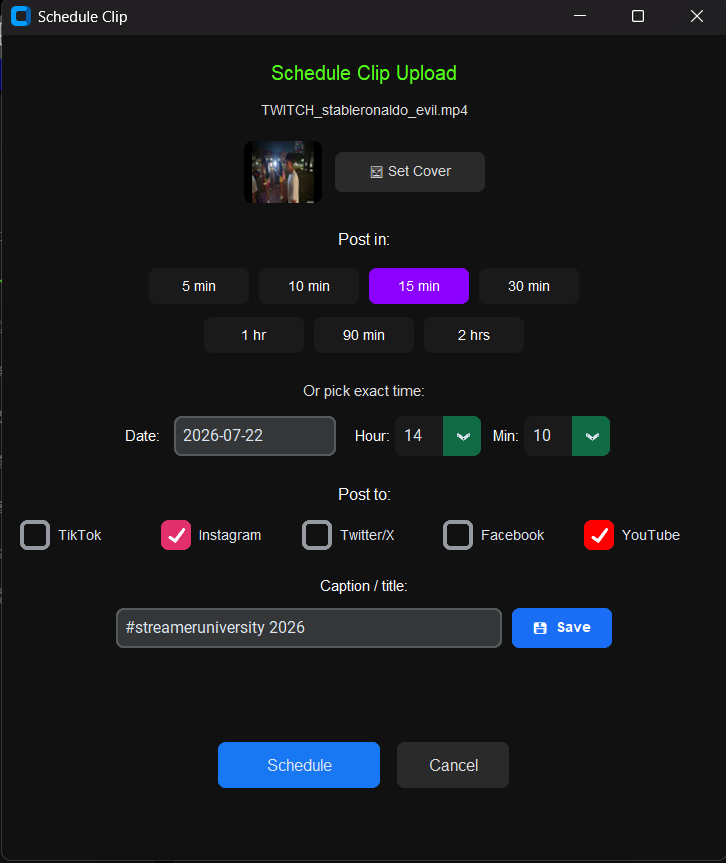
Pick a time (or use a quick preset), choose which platforms to post to, and set the caption — all in one dialog.
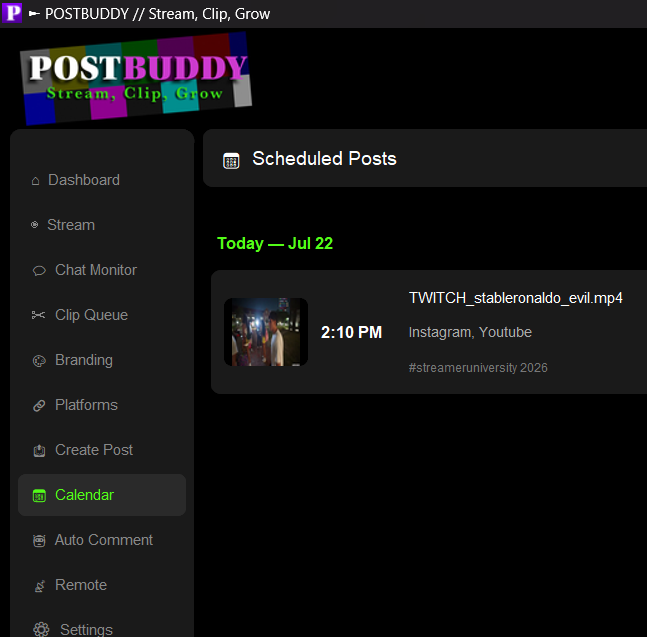
See everything queued up to go out, at a glance, so you always know what's posting and when.
PostBuddy Remote turns your phone into a control panel for everything the desktop app does — reachable on your WiFi, or from anywhere with a public link.
Get PostBuddy and let your stream post itself.
▶ Get PostBuddy NowAlready purchased? Download PostBuddy →